instagram transcript generator
Paste an Instagram link, generate a timestamped transcript, and export clean text or subtitle files.
Paste link
How to Use an Instagram Transcript Generator
1. Paste an Instagram link
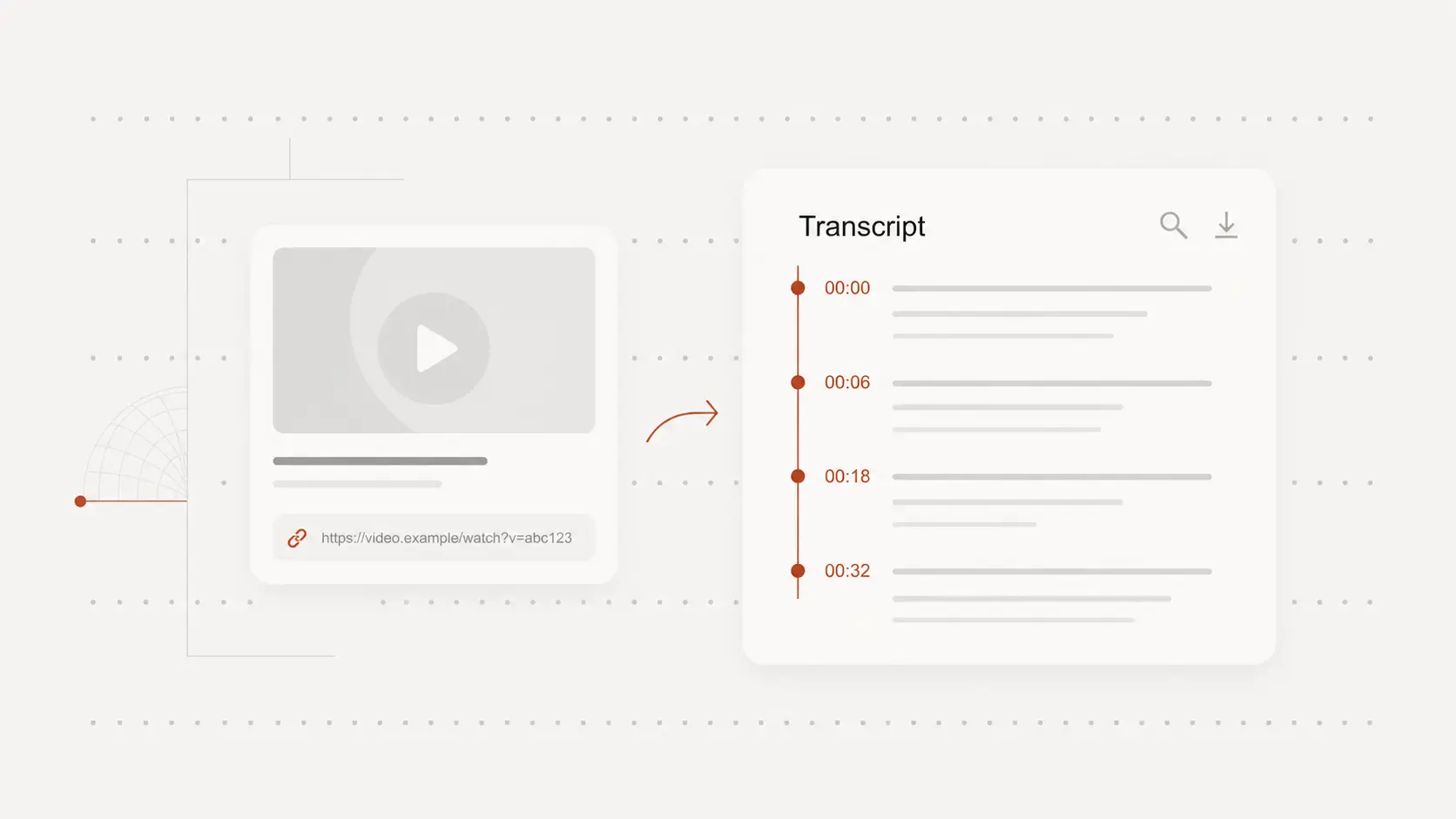
Paste a supported Instagram video or reel URL to load source details before transcription.
2. Review and edit the transcript
Generate an editable transcript with timestamps so you can verify wording and clean up important lines.
3. Export transcript files
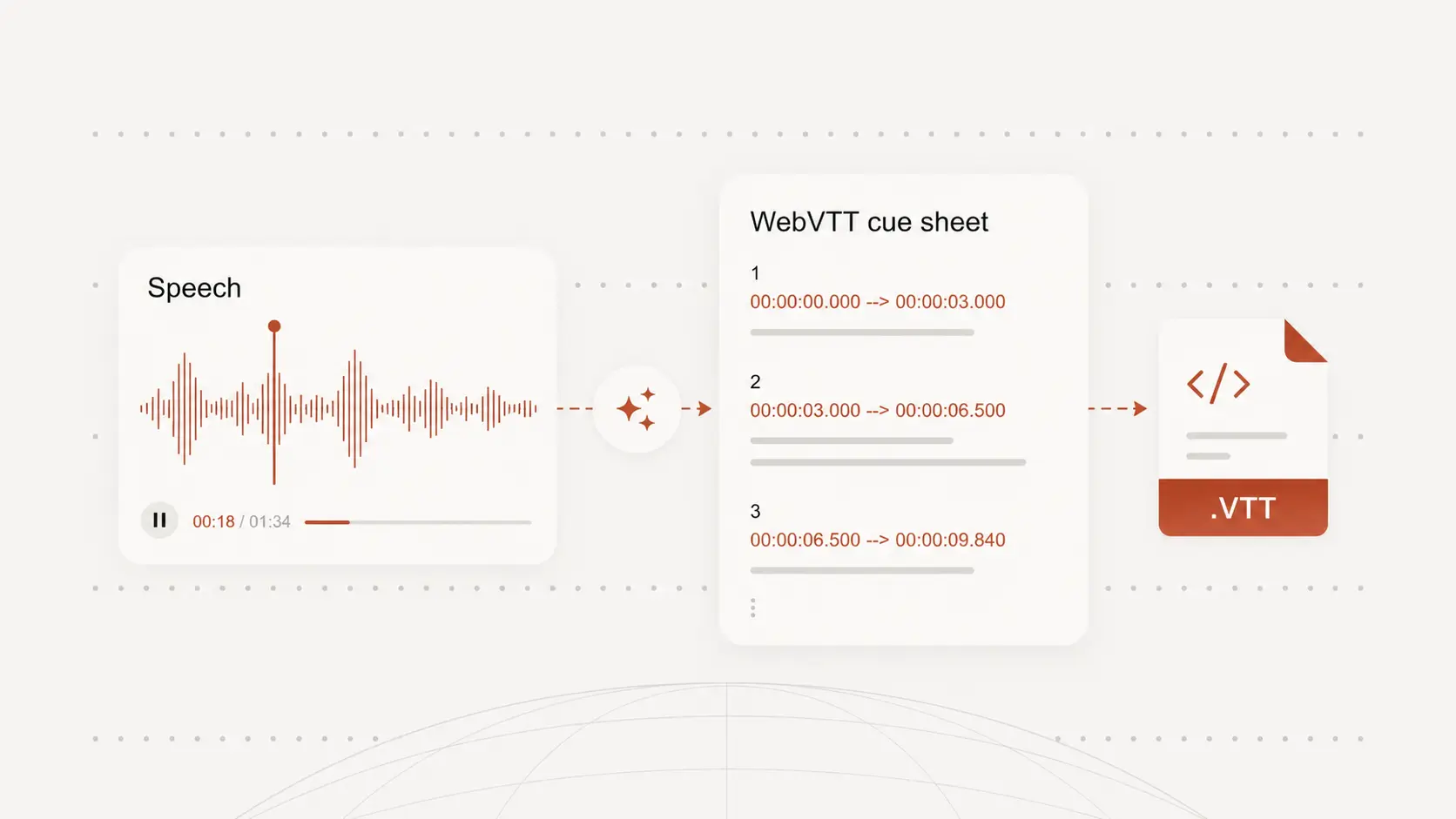
Download transcript output as TXT, DOCX, PDF, SRT, or VTT depending on your publishing workflow.
Why use this instagram transcript generator
Paste Instagram video links
Paste supported Instagram URLs and start transcription without local file upload.
Timestamped transcript output
Review transcript lines with timing context to validate clips and quote exact moments.
Flexible export formats
Export as TXT, DOCX, PDF, SRT, or VTT based on your editing and publishing needs.
Fast link-to-transcript processing
Move from pasted link to editable transcript quickly when teams need faster turnarounds.
Browser-based transcript editing
Clean up transcript wording before handoff to editors, writers, or operations teams.
Works across multilingual content
Generate transcripts for videos in multiple languages and keep output easy to reuse.
Transcribe Instagram links without downloading media
Start from a public Instagram URL and generate transcript text directly from the source link.
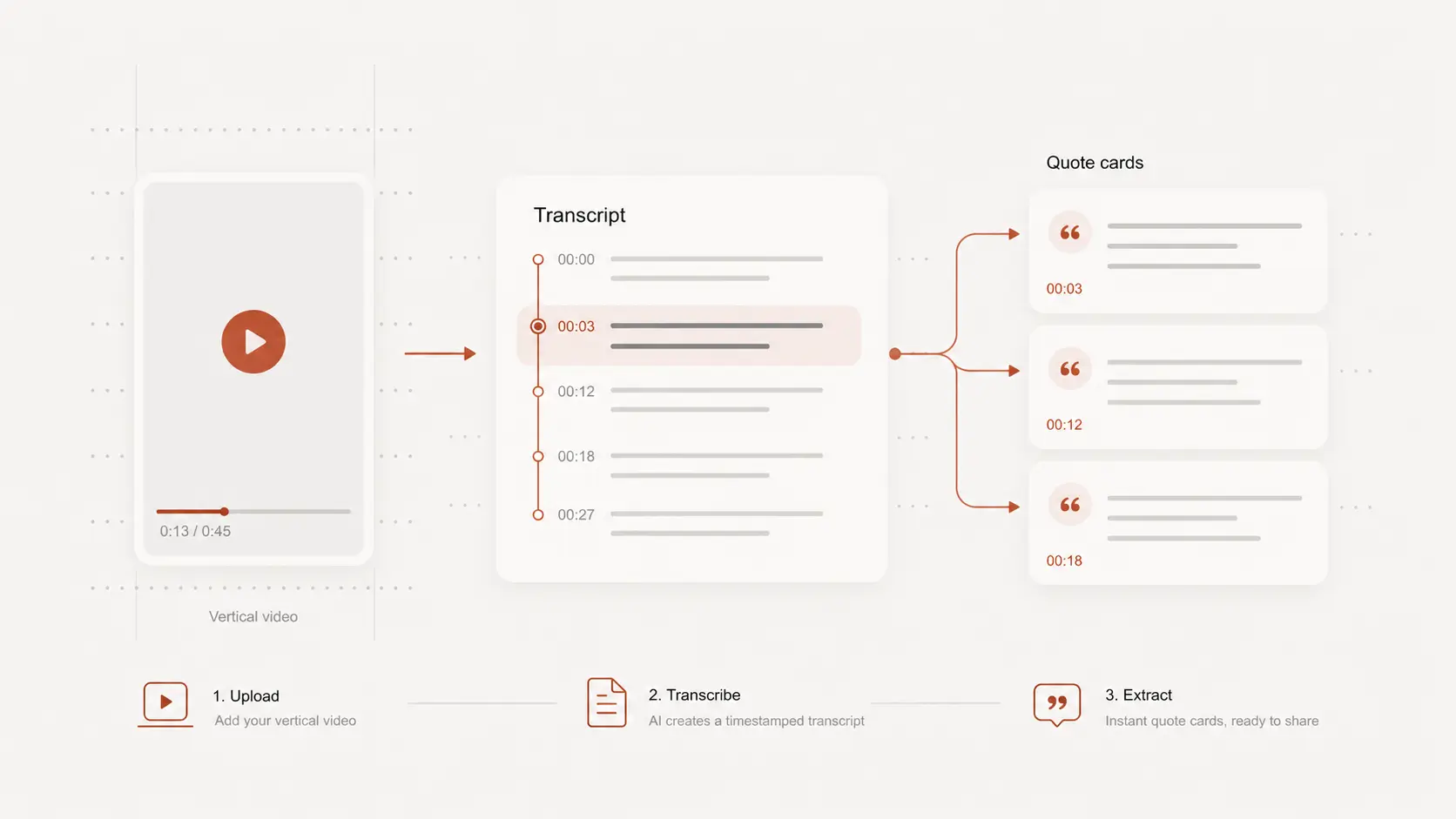
Review timestamped transcript output in the browser
Use timestamps to jump to key moments, verify text accuracy, and edit wording before export.
Export transcript text or subtitle files
Reuse the transcript for captions, social notes, summaries, or subtitle-ready deliverables.
instagram transcript generator use cases
Creator editing workflows
Extract spoken content from reels and videos to speed up caption writing and content repurposing.
Social research and analysis
Turn Instagram videos into searchable text for messaging, trend, and competitor analysis.
Marketing and support teams
Share structured transcript text across teams working on campaign edits, replies, and content operations.
instagram transcript generator FAQ
Common questions about transcribing Instagram videos.